The invitation is opened in the same way as a document requiring strong authentication, but at the signing stage, the authentication method is not selected; instead, the signature is typed into the designated field using the keyboard. Additionally, a drawn signature that mimics a handwritten signature can be included.
The process otherwise proceeds in the same way as with strong authentication, and the signature notation appears on the last page.
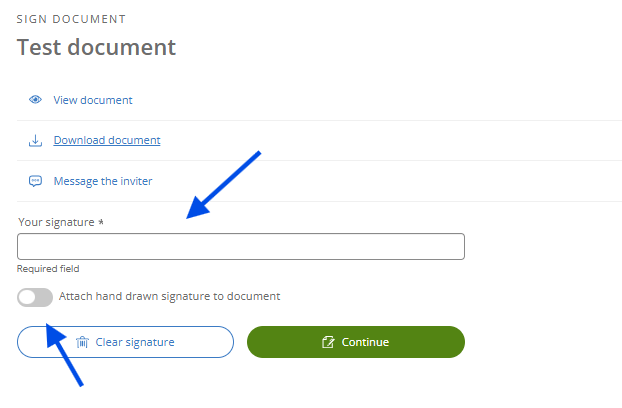
In order for the invitation to be signed without strong authentication, the sender must have designated it for light signing. If the invitation requires strong authentication but you do not have the possibility for it, please inform the invitation sender. They can then, if necessary, send you a new invitation that allows for a light signing method.
Did you find it helpful? Yes No
Send feedback