In Visma sign, you cannot add a file to a document if it is not included in the final signed document.
However, Visma sign has an "Add link" function that you can use in situations where you want to add supporting material to the document purely as background information, without it becoming part of the actual document to be signed.
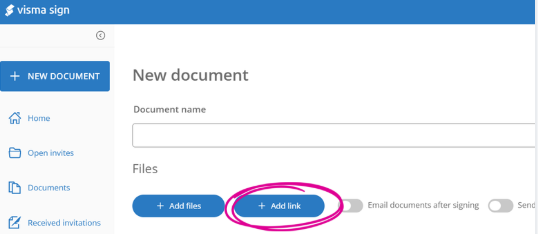
If the file is, for example, placed in a cloud service and you add a link to the file in the document, the signer must, at the signing stage, confirm that they have read the content of the link. The content itself will not, however, be visible in the final document.
This article has been translated using an AI-based translation tool. The contents or wording of these instructions may differ from those in other instructions or in the software.
Did you find it helpful? Yes No
Send feedbackSorry we couldn't be helpful. Help us improve this article with your feedback.
